
Your payment methods are managed through the WordPress.com account that you created or used when purchasing your referral product. You can add, remove, or update cards, assign a different payment method to each subscription, and set a backup payment method in case your primary card fails.
In this guide, you will learn how to access your payment methods, manage your saved cards, and update the payment method on a specific subscription.

- Navigate to your client dashboard.
- Click Payment methods in the sidebar.
This opens your WordPress.com account where you can see all active subscriptions, payment methods, and billing history.
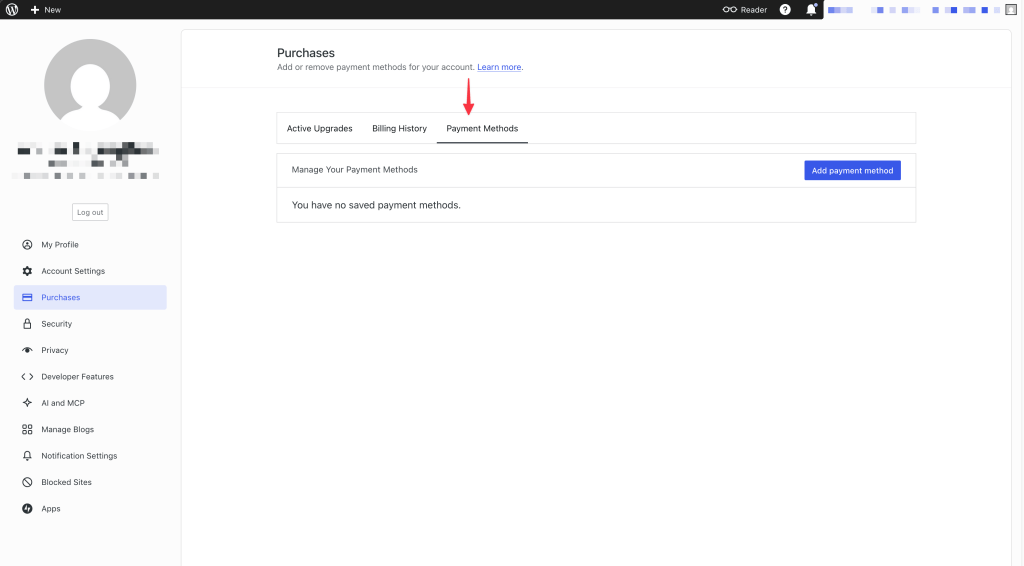
- Click the “Add payment method” button on the payment methods page.
- Enter your name and card details.
- Click “Save card”.
You can assign the card to a specific subscription or use it for all purchases.
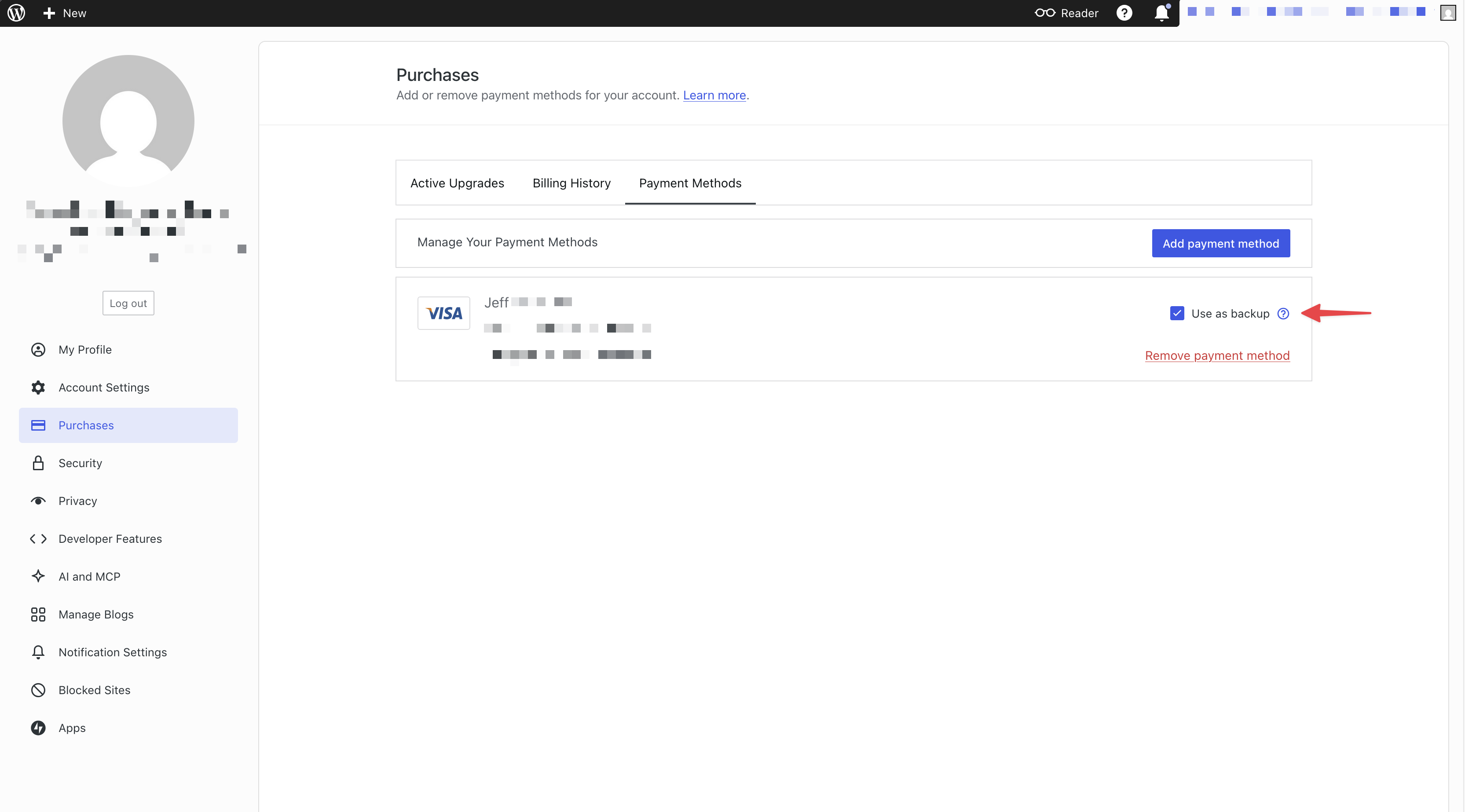
A backup payment method is used automatically if your primary card fails during a scheduled payment. Setting a backup helps prevent missed payments and service interruptions.
- Navigate to your payment methods page.
- Locate the card you want to use as a backup.
- Check the box labeled “Use as backup”.
💡
Setting a backup payment method is recommended. If your primary card is declined, the backup is charged automatically, keeping your subscriptions active. .
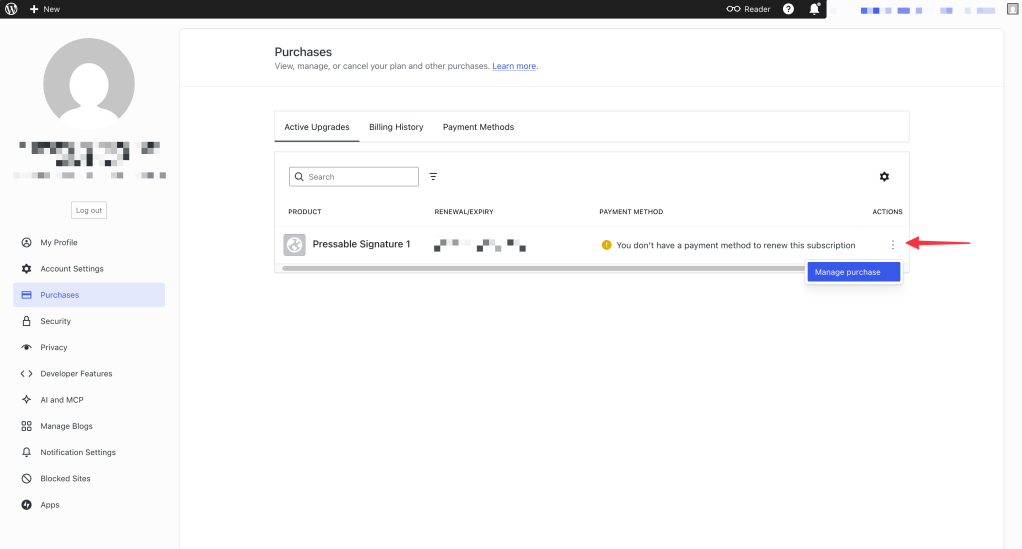
You can assign a different payment method to each individual subscription. Changing the card on one subscription does not affect any other subscriptions on your account.
- Navigate to your active upgrades page.
- Select the subscription you want to update your payment method for.
- Click the vertical ellipsis icon and then “Manage purchase.”
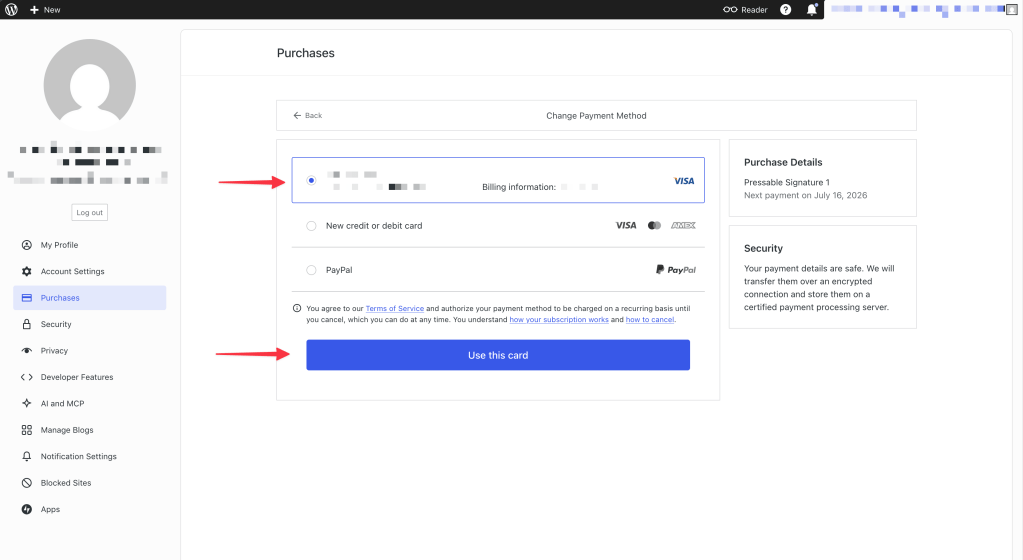
- Click the “Change payment method” button below the subscription details.
- Select a saved card, or add a new one.
- Confirm the change and click “use this card” to attach a payment method to a subscription.
- Navigate to your payment methods page.
- Locate the card you want to remove.
- Click Delete next to the card.
⚠️
If you remove all saved payment methods, you will not be able to purchase products your agency sends you until you add a new card. Any upcoming charges will also fail, which may result in your subscriptions being revoked. See [Resolve a missed payment] for more information.
Depending on your region, additional payment options such as PayPal, Apple Pay, or Google Pay may be available during checkout. For details on these options, visit the WordPress.com payment methods guide.
 Automattic for Agencies - Knowledge Base