
As mentioned in Adding sites to the sites dashboard, you have the freedom to add self-hosted WordPress sites via the Automattic for Agencies plugin, as well as any Jetpack plugin.
All of these plugins require you to create and connect a WordPress.com account, which forms a bridge between your site and Automattic for Agencies.
- Ensure you’re logged into your desired site’s wp-admin.
- Navigate to Plugins > Installed Plugins.
- Find “Automattic for Agencies Client” in your plugin list.
- Click “Deactivate” to disconnect your site from your Automattic for Agencies Dashboard.
- You’ll be prompted to confirm your disconnection.
- Within a few minutes your site should disappear from your Automattic for Agencies Dashboard.


Jetpack now offers many individual plugins for different functionality that all utilize your WordPress.com account to connect your site to your Automattic for Agencies Dashboard. Regardless of what combination of Jetpack plugins you have, disconnect with these steps:
- Ensure you’re logged into your desired site’s wp-admin.
- Navigate to Jetpack > My Jetpack
- Scroll to the bottom of My Jetpack, where you’ll see “Connection.”
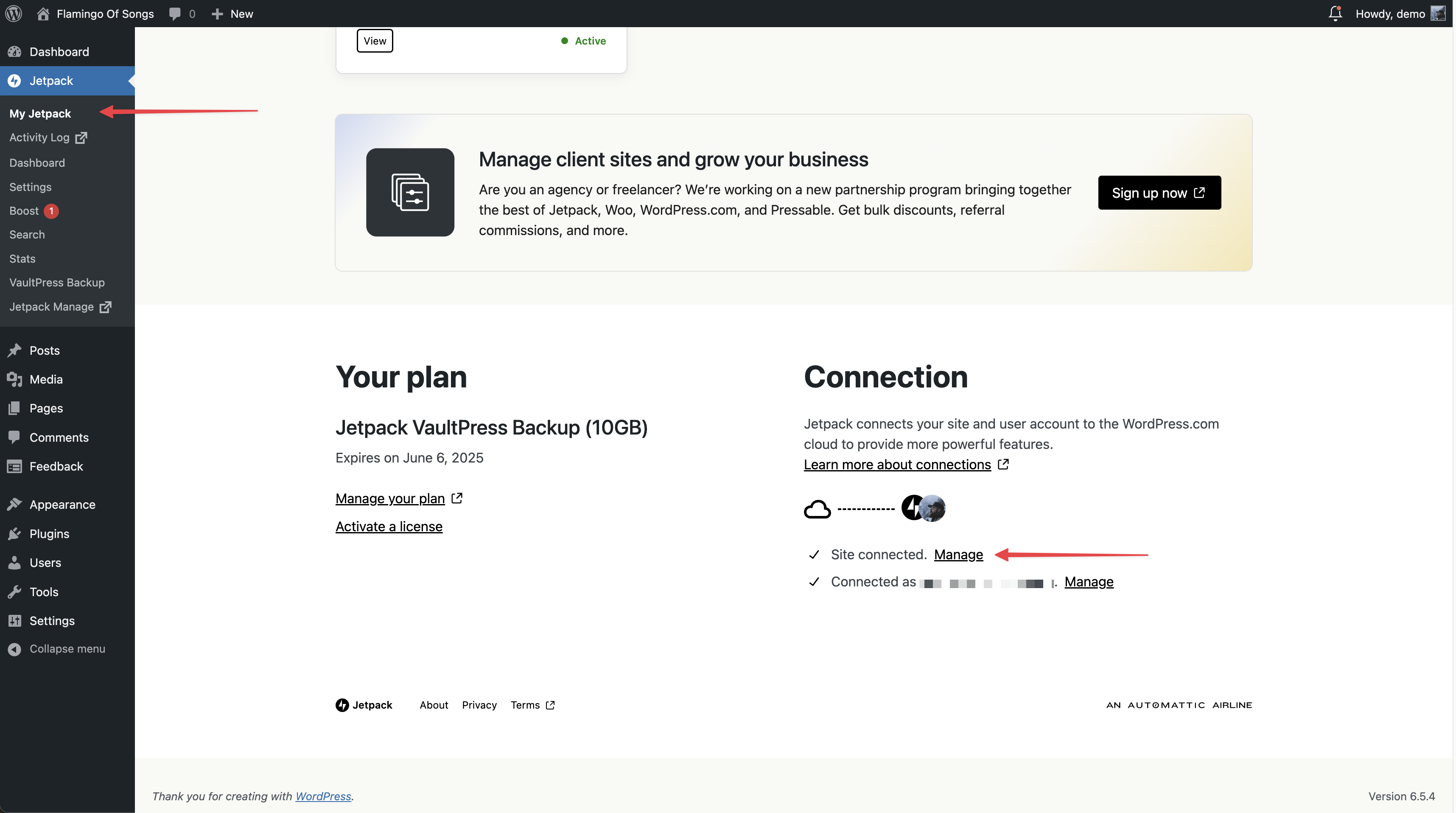
- Click “Manage” next to “Site connected.”
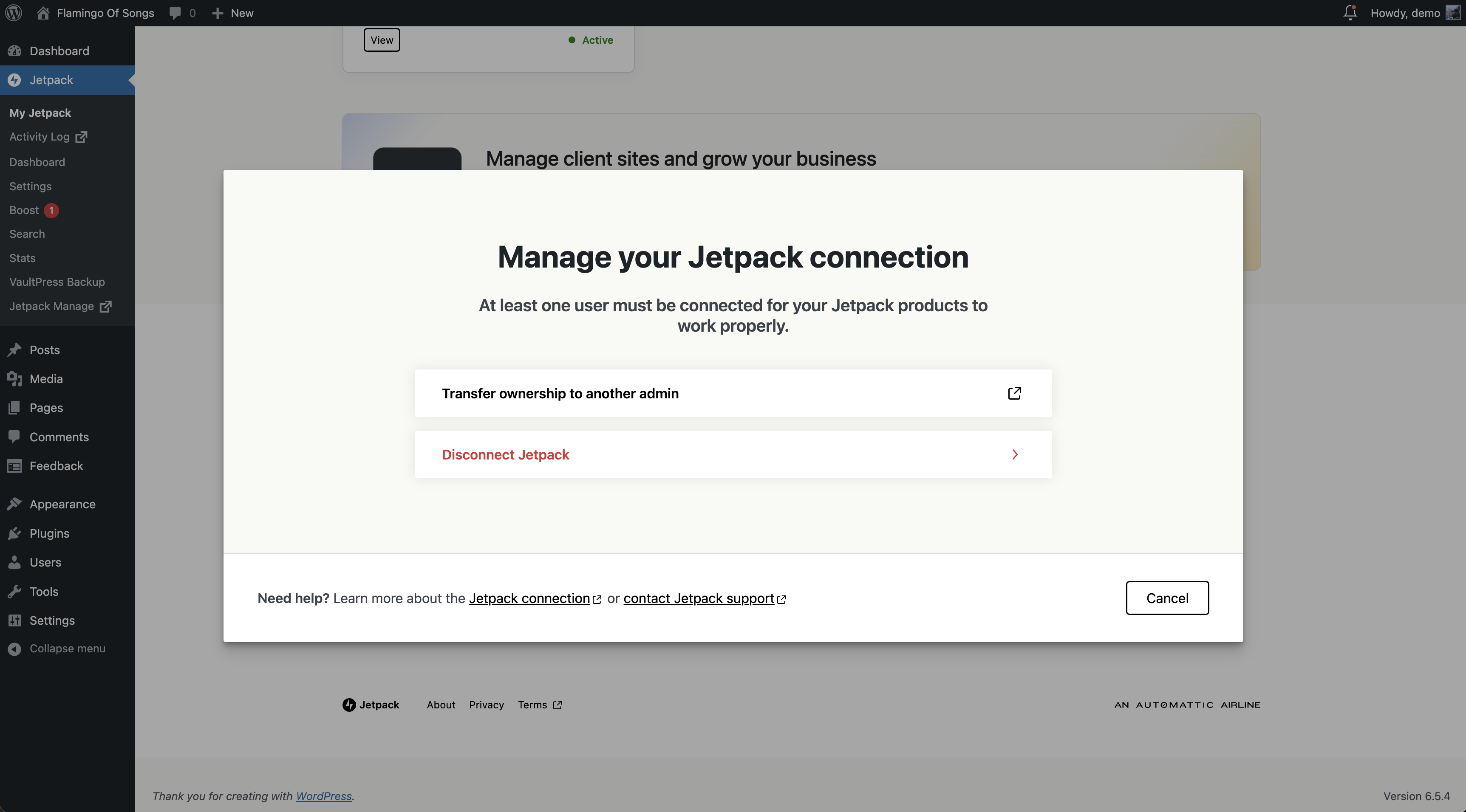
- When prompted, click “Disconnect Jetpack.”
- If you have multiple Jetpack plugins installed, a second prompt will warn you what features will be become unavailable when disconnected.
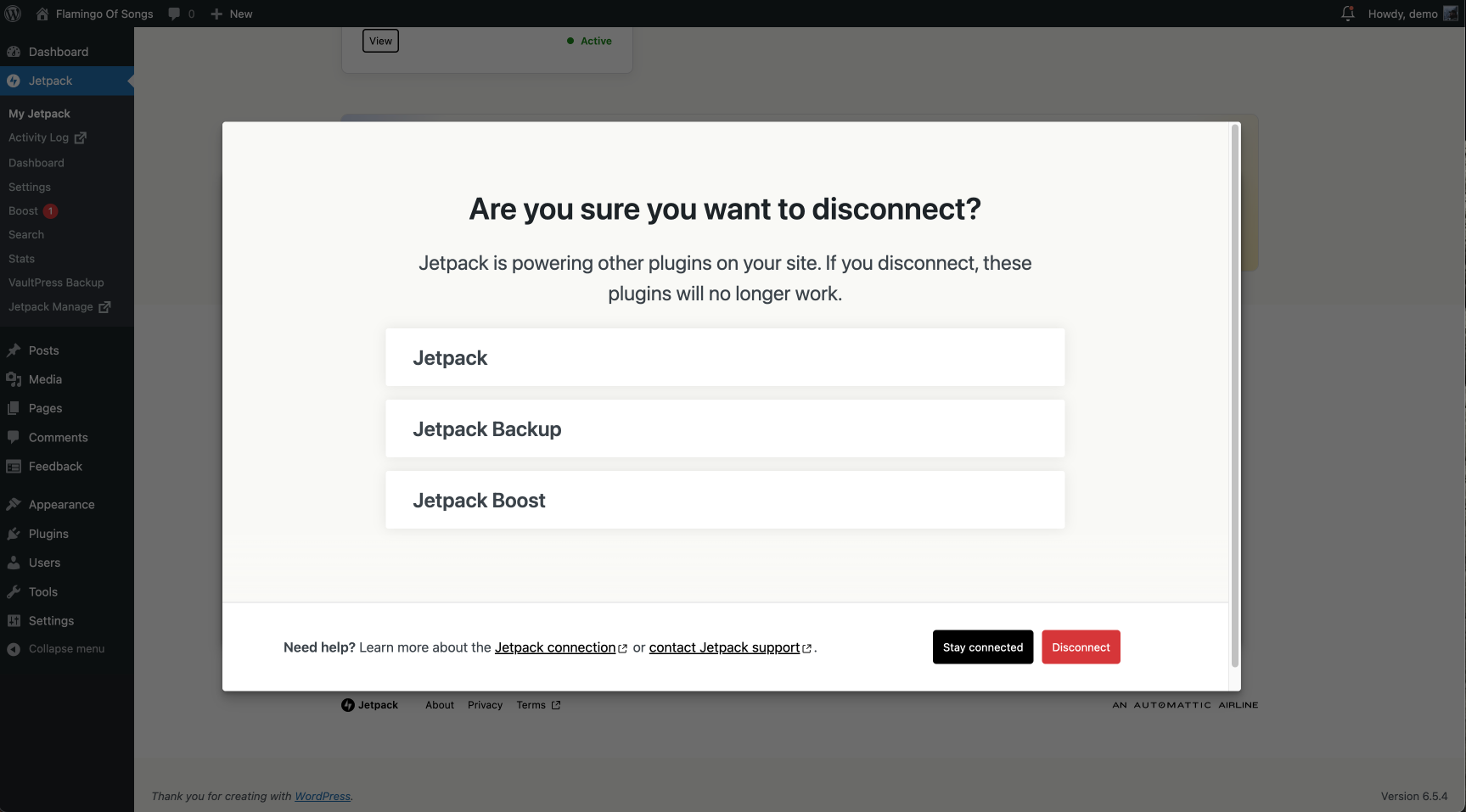
- Click “Disconnect” to confirm.
- Within a few minutes your site should disappear from your Automattic for Agencies Dashboard.
Note: Disconnecting any Jetpack plugin will disable most Jetpack features associated with that plugin. We’re currently working on building a better method to remove sites from your Automattic for Agencies Dashboard, while maintaining any Jetpack functionality you may want.
Automattic for Agencies allows you to purchase and assign many products to your sites from within the Marketplace.
If you have purchased any of these products and assigned them to a site with Automattic for Agencies, you will still be billed for them if you remove a site from the Dashboard.
Follow these instructions if you wish to cancel a product subscription.
 Automattic for Agencies - Knowledge Base