
Automattic for Agencies partners can earn through revenue share on referrals of hosting, plugins, and extensions, and earn commission on WooPayments transactions on client sites.
The Automattic for Agencies portal provides tools to track your earnings and ensure you receive payouts. In this guide, you will learn how to view and download your commission history and understand WooPayments commission eligibility.
You can download a CSV file of your commission history to review your earnings in detail. The CSV includes client email, product name, quantity, invoice date, price, commission percentage, and commission amount.
CSV links will only show if there are commissions paid out for your account or a specific client.
To download your complete commission history across all clients:
- Go to Referrals → Dashboard in the Automattic for Agencies portal.
- Click the “Download CSV” button.
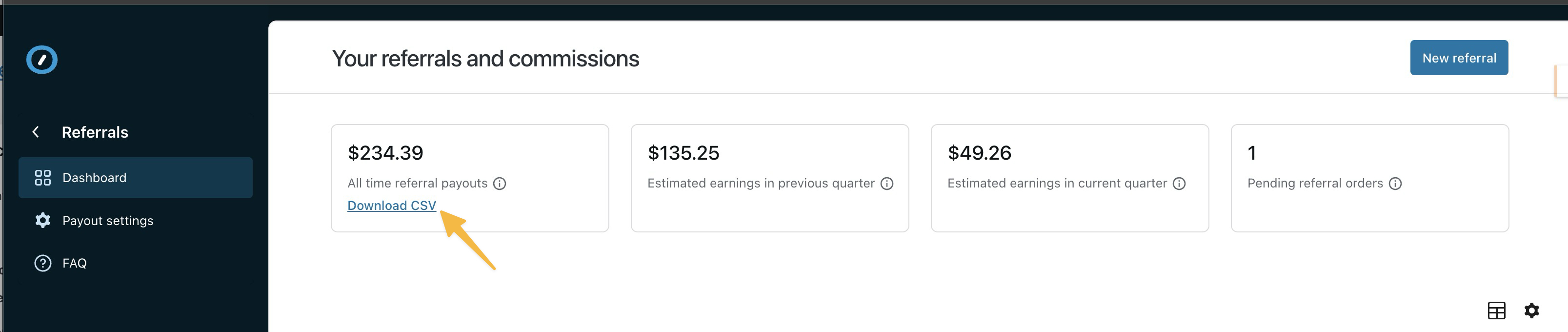
To download commission history for a specific client:
- From the Referrals Dashboard click view details in the action column for a specific client
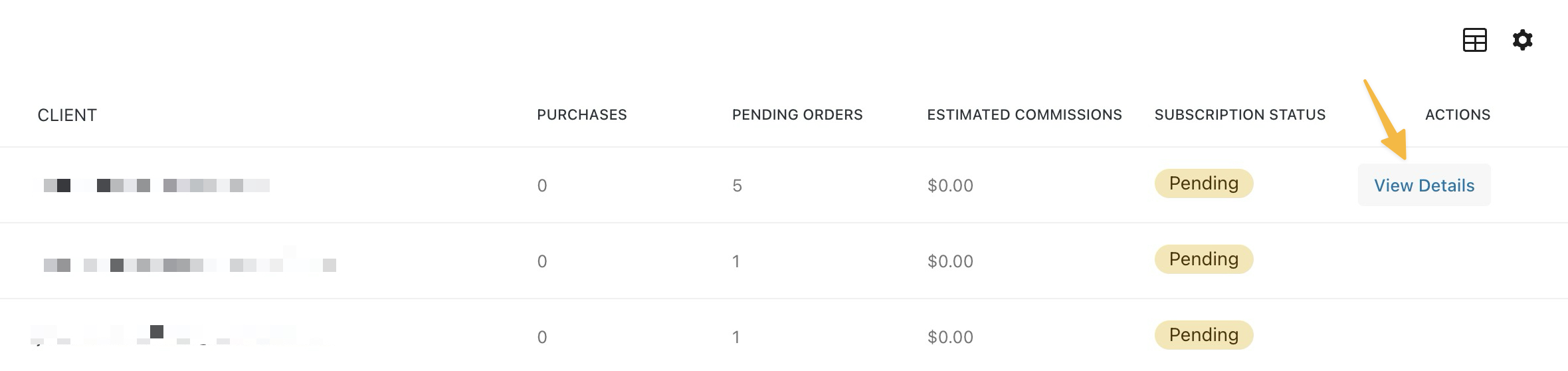
- Enter the commissions tab
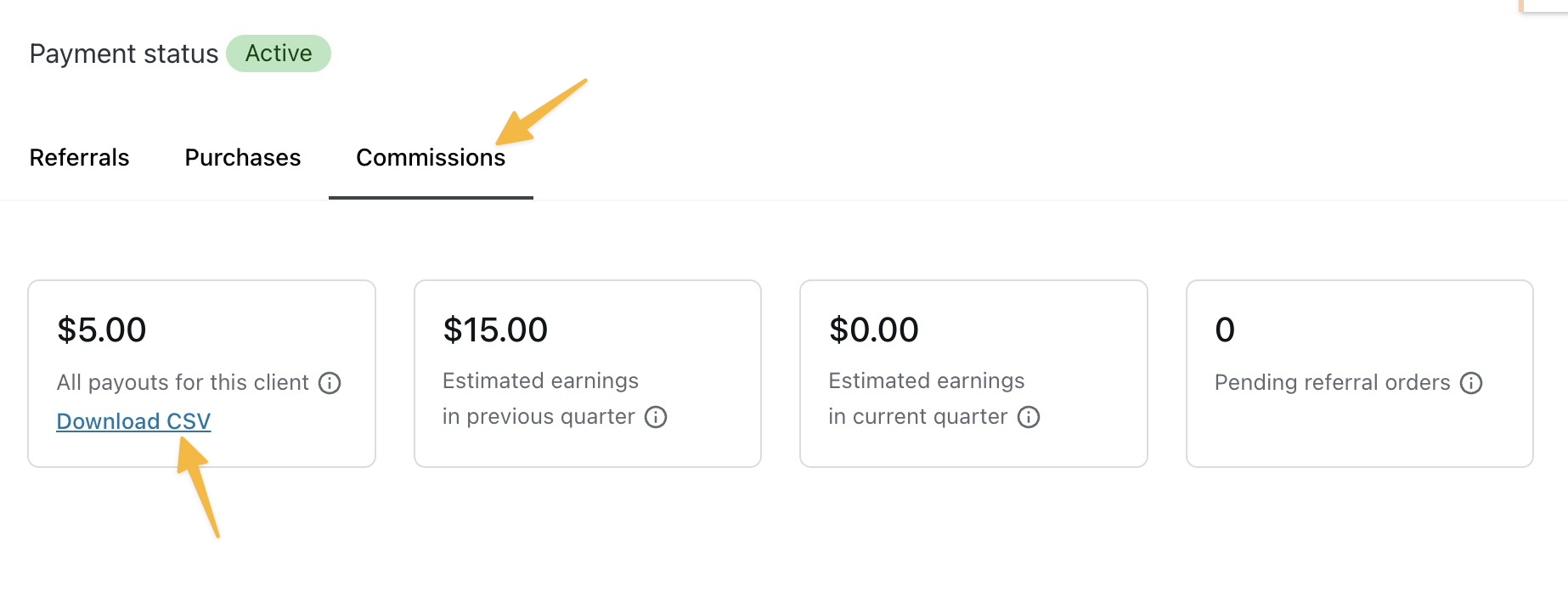
- Click the “Download CSV” button.
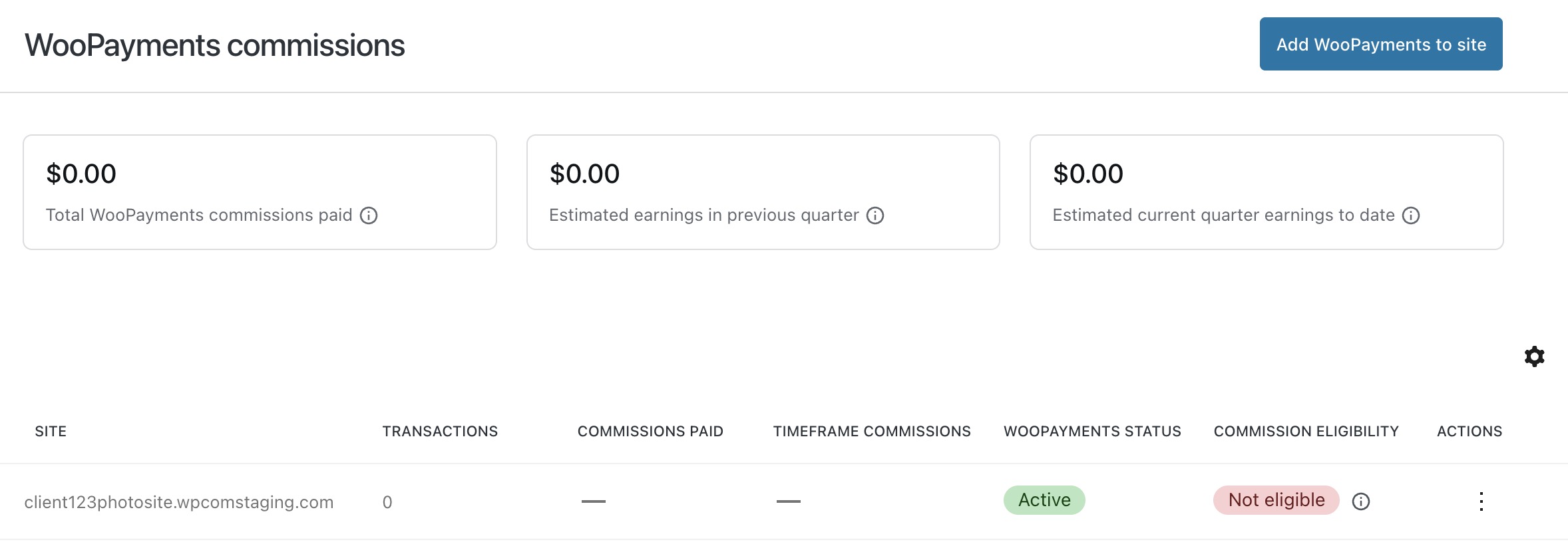
The WooPayments dashboard displays two separate status columns:
- WooPayments Status: Shows whether WooPayments is connected to the site. Possible values are “Continue setup,” “Active,” or “Disconnected.”
- Commission eligibility: Shows whether the site is earning commissions. Possible values are “Eligible” or “Not eligible.” For information on eligibility criteria, you can review our terms and conditions.
📌 A site can have an “Active” WooPayments status but still show “Not eligible” for commissions if it hasn’t met the required criteria.
To review the status of your WooPayments client sites, visit WooPayments → Dashboard, where you will see your sites listed.
 Automattic for Agencies - Knowledge Base