
As your agency expands, Automattic for Agencies will grow with you, offering additional discounted pricing tailored to your needs. You have the flexibility to upgrade your current hosting solution at any time, with your previously purchased licenses seamlessly included in the upgraded plan. This ensures you enjoy lower prices without any hassle.
Pressable offers bundles of hosting plans. To upgrade your current Pressable hosting plan bundle within the Automattic for Agencies Dashboard, follow these steps:
- Navigate to Marketplace > Hosting.
- Click “Premier Agency Hosting”.
- Scroll down until you see “Upgrade your plan”.
- Choose between Signature (1-150 sites) and Enterprise plans (200+ sites), and whether you want to filter and choose your plan based on number of WordPress Installs, Traffic, or Storage.
- Move the slider to select your desired new plan level.
- Click “Select Plan.”
- The plan will be added to your cart.
- Continue shopping or click on the Cart icon in the upper right corner to proceed to checkout.
- You’ll be taken to the checkout screen with a summary of your order.

Billing through Automattic for Agencies is calculated daily and invoiced at the end of the month. So, at the end of a month, you’ll be billed on a prorated basis for the period during which you owned each plan during a given month. You’re billed for the entire plan, even if you have not assigned all licenses to active sites.
WordPress.com lets you buy exactly as many site licenses as you need. The volume discount will take into consideration sites you bought previously as well as new purchases. Follow these steps to upgrade your WordPress.com hosting plan within the Automattic for Agencies Dashboard:
- Navigate to Marketplace > Hosting.
- Click “Explore WordPress.com plans.”
- On the next screen, you will see the current number of WordPress.com licenses purchased.
- Move the slider to select the new, increased number of sites or type the number of sites you want to add into the quantity field.
- Click “Add WordPress.com sites to cart.”
- The additional site licenses will be added to your cart.
- Continue shopping or click on the Cart icon in the upper right corner to proceed to checkout.
- You’ll be taken to the checkout screen with a summary of your order.
Your previously added sites will count towards the new plan, leading to higher discounts on the upgraded plan.
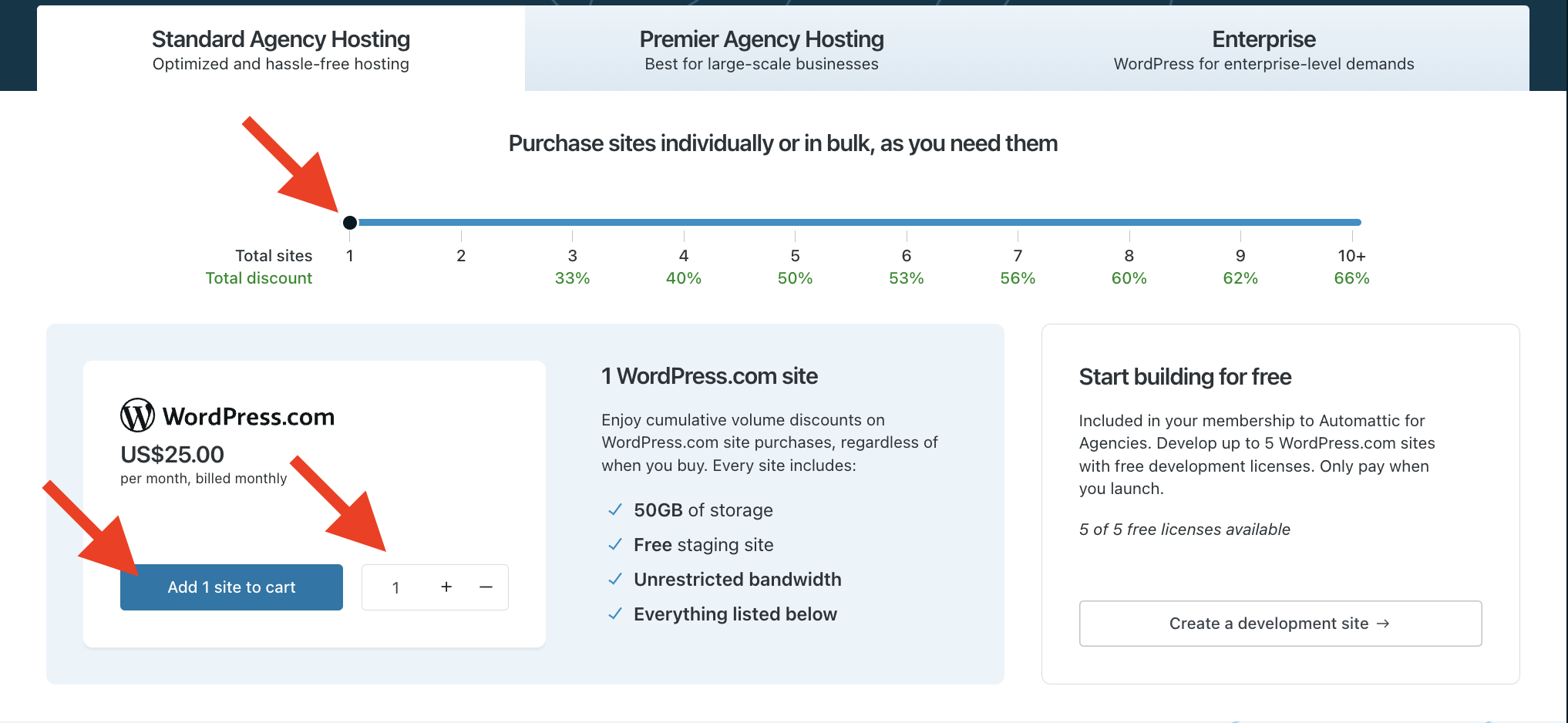
Billing through Automattic for Agencies is calculated daily and invoiced at the end of the month. So when you add additional sites that qualify you for new per site pricing, your pricing will be adjusted across all sites for the remainder of the month. You’ll be billed on a prorated basis for the period during which you owned a specific number of sites during a given month (e.g. if you upgrade from 4 site licenses to 5 site licenses on the 15th of the month, all sites prior to the upgrade will be billed at the 4 site rate, while all sites after the upgrade will be billed at the 5 site rate). You’re billed for the number of licenses purchased and not revoked, even if you have not assigned all licenses to active sites.
 Automattic for Agencies - Knowledge Base